
On this page
4.5.1 Update your business name
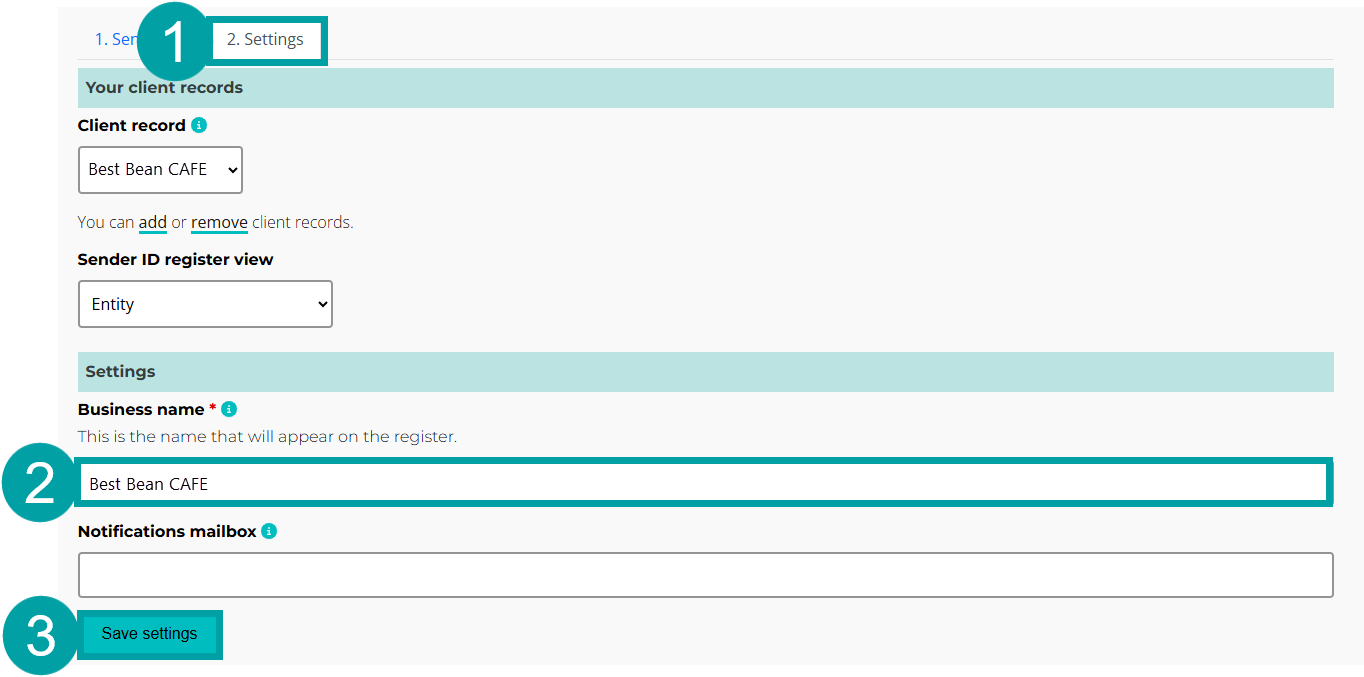
You can update your business name in the settings tab. This name can be a:
- business name (matching a name on the Business Names Register), or
- entity name (matching the name on the Australian Business Register).
- Click on the Settings tab.
- Enter the email address into the Business name textbox.
- Click on the Save settings button.
|
4.5.2 Update your business’s notification email address
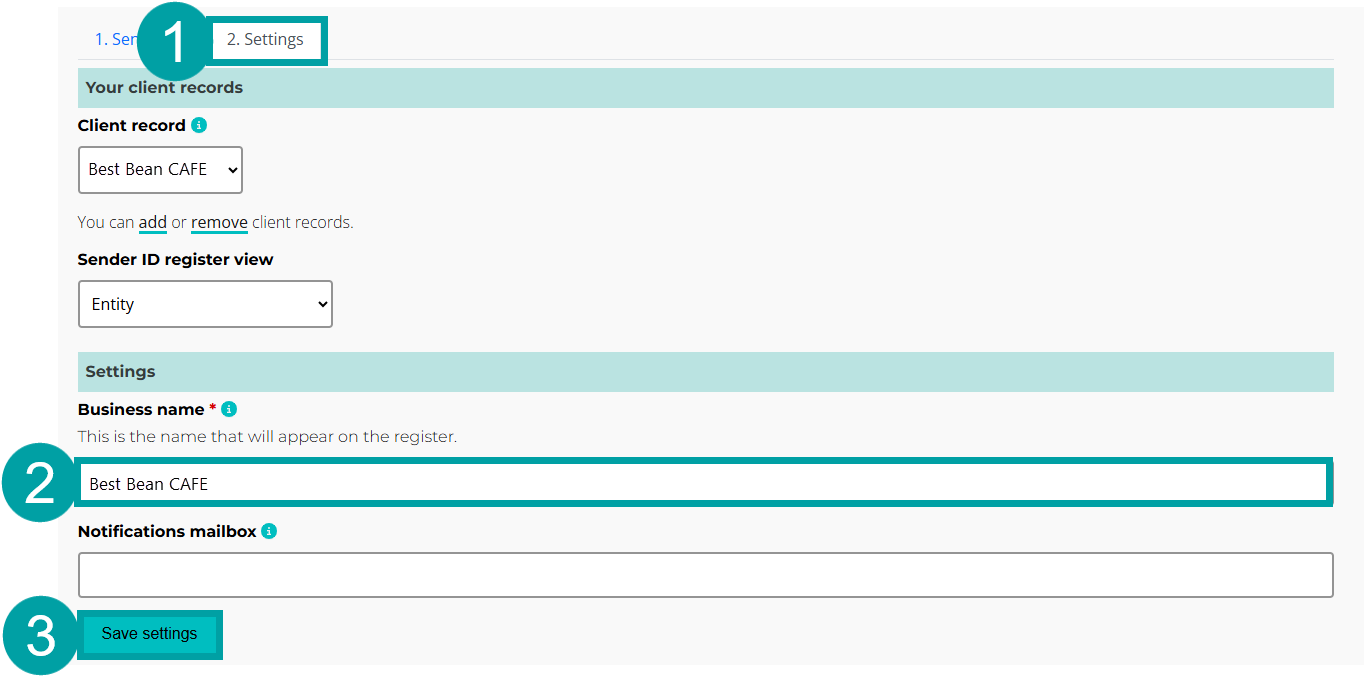
You can enter an email address to receive notifications about the registration status of your organisation’s sender ID(s) in the settings tab. If you enter an email here, it will be copied into all correspondence sent to your organisation about your sender ID(s). We recommend entering an email that all relevant staff in your organisation can access.
- Click on the Settings tab.
- Enter the email address into the Notification mailbox textbox.
- Click on the Save settings button.
|