
Telco details
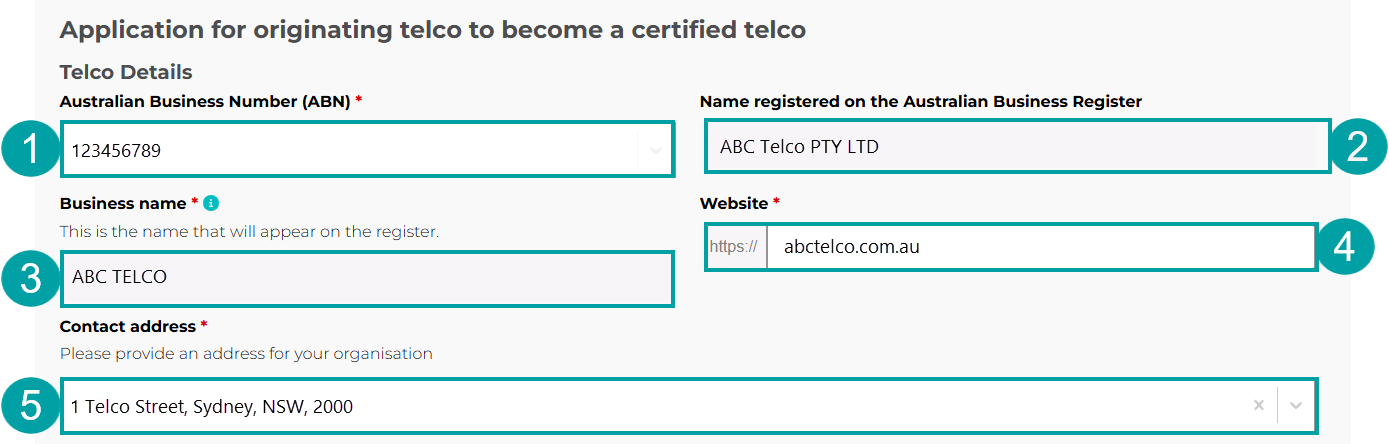
As you are already a participating telco, the following 3 fields will auto-populate and cannot be edited:
- Your ABN will auto-populate in the Australian Business Number (ABN) field.
- Your company name as registered on the Australian Business Register (ABR) will auto-populate in the Name registered on the Australian Business Register field.
- Your business name as provided in your application to participate in the register will auto-populate in the Business name field.
You must then:
- Enter your company web address in the Website field.
- Enter your company address in the Contact address field.
|
Application requirements
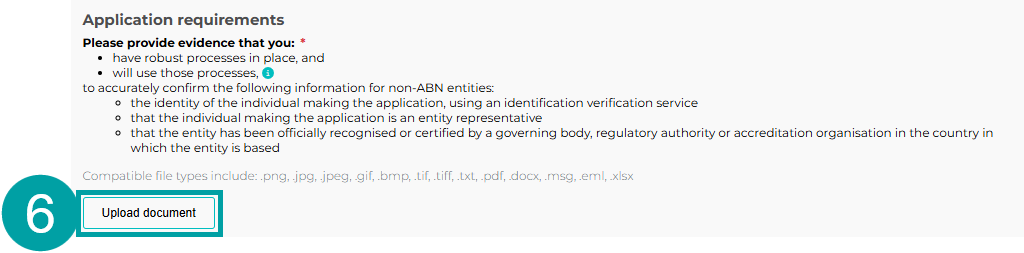
To be approved as a certified telco, you must provide evidence that you:
- have robust processes in place, and
- will use those processes (for example, evidence that these processes have been included in your internal procedures and staff will receive training)
to accurately confirm all of the following information for non-ABN entities:
- the identity of the individual making the application, using an identity verification service
Note: Identity verification service means:
- an identity verification service as defined in section 5 of the Identity Verification Services Act 2023, or
- a service designed to provide a high assurance level to verify an individual’s identity accurately, including through the use of government-issued identity documents, biometric or other information. This includes services that have been authorised, approved, or recognised by a foreign government.
- that the individual making the application is an entity representative
- that the entity has been officially recognised or certified by a governing body, regulatory authority or accreditation organisation in the country in which the entity is based.
- Click the Upload document button to upload your supporting documents.
|
Applicant contact details
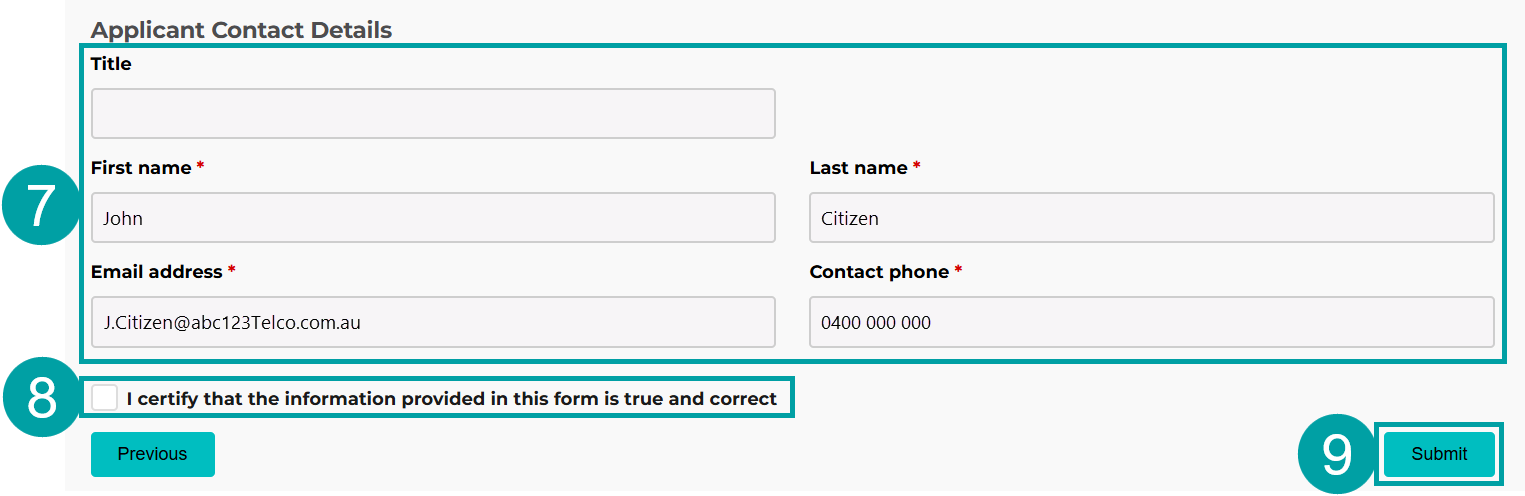
These fields will auto-populate with details from your ACMA Assist account. These details will be used to contact you throughout the registration process.
- Update the details in the Applicant contact details fields if required.
- Check the box to certify that the information you have provided is true and correct.
- Click the Submit button. After you press submit, you will be asked to check that the email address is correct. Check the address and press Submit again.
|
You will receive an email notifying you of your successful submission. Once your application has been processed, you will receive an email notifying you of the outcome.